

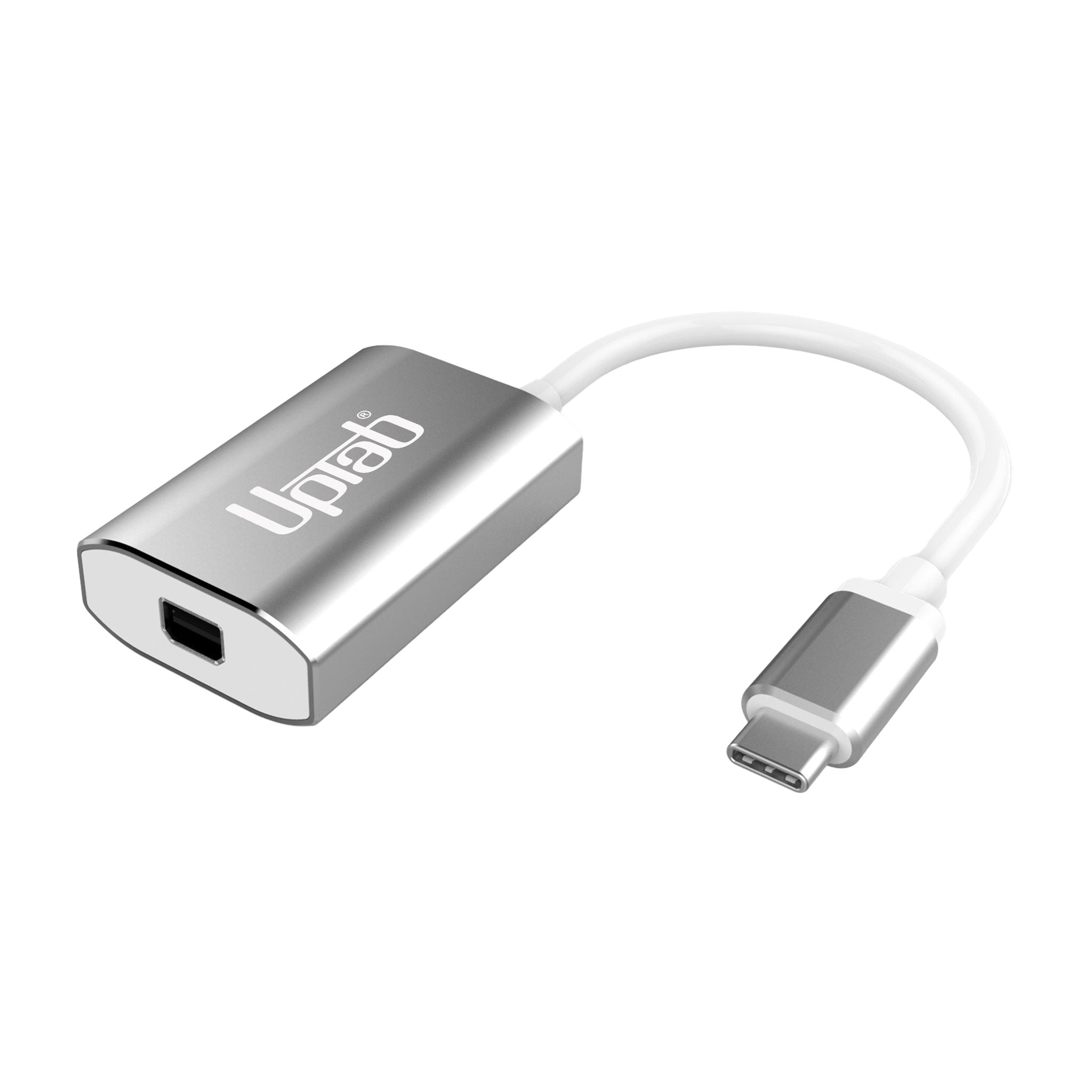
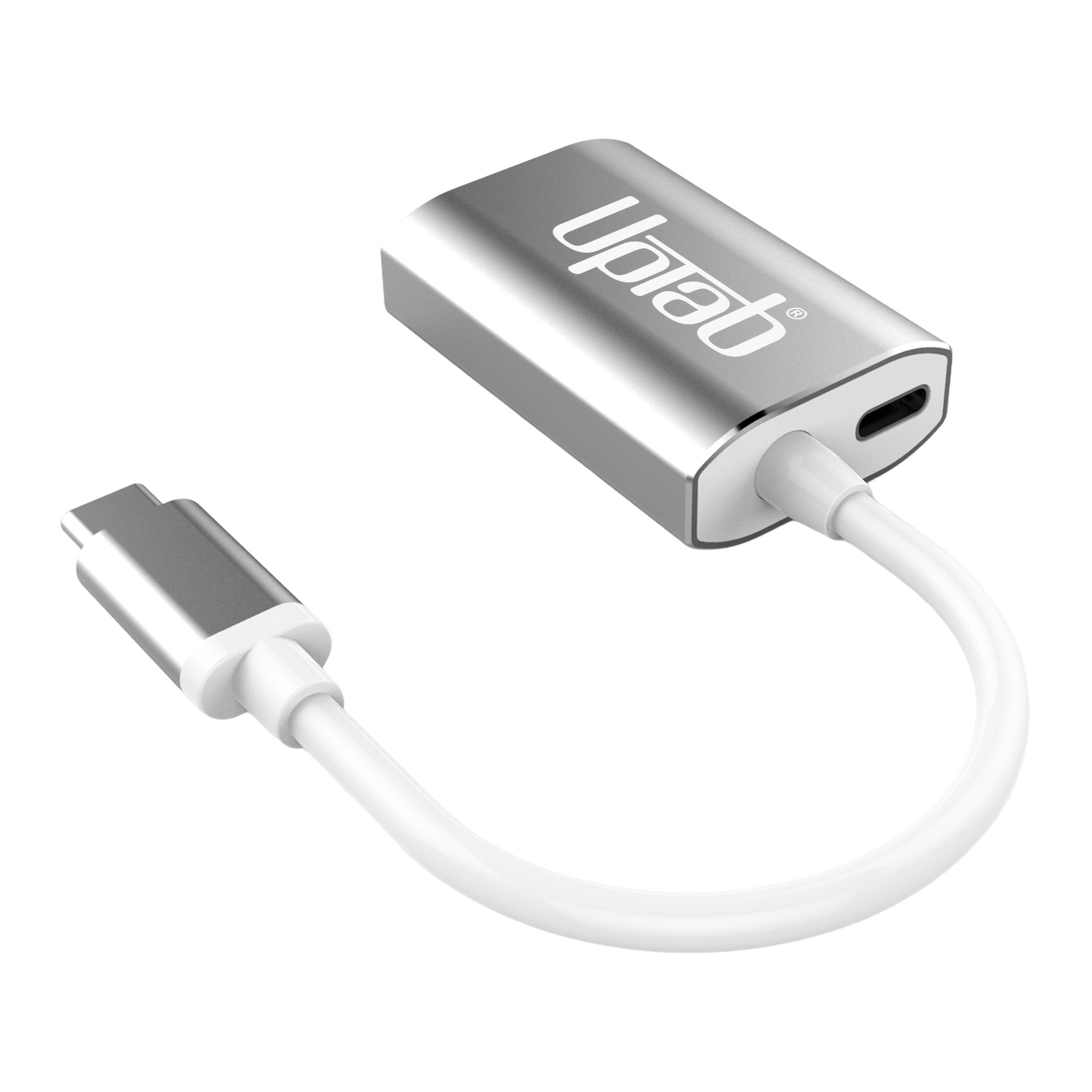
Adattatore da USB-C a Mini DisplayPort 4K a 60 Hz - Argento
Informazioni su questo articolo
Si abbina bene con
SPEDIZIONE IN GIORNATA ordina entro le 11:00 (EST)
Spedizione gratuita per ordini superiori a $ 50
Supporto tecnico
Restituzione entro 30 giorni
1 anno di garanzia
Adattatore da USB-C a Mini DisplayPort 4K a 60 Hz - Argento
Dettagli del prodotto
Sblocca tutto il potenziale del tuo display con il Adattatore da USB-C a Mini DisplayPort UPTab 4K@60HzProgettato per professionisti, creatori e utenti di tutti i giorni, questo adattatore compatto è il Unico adattatore Mini DisplayPort sul mercato dotato di porta di alimentazione pass-through USB-C.Ciò significa che puoi caricare il tuo laptop mentre utilizzi l'adattatore, liberando così le altre porte USB-C per unità, periferiche o accessori.
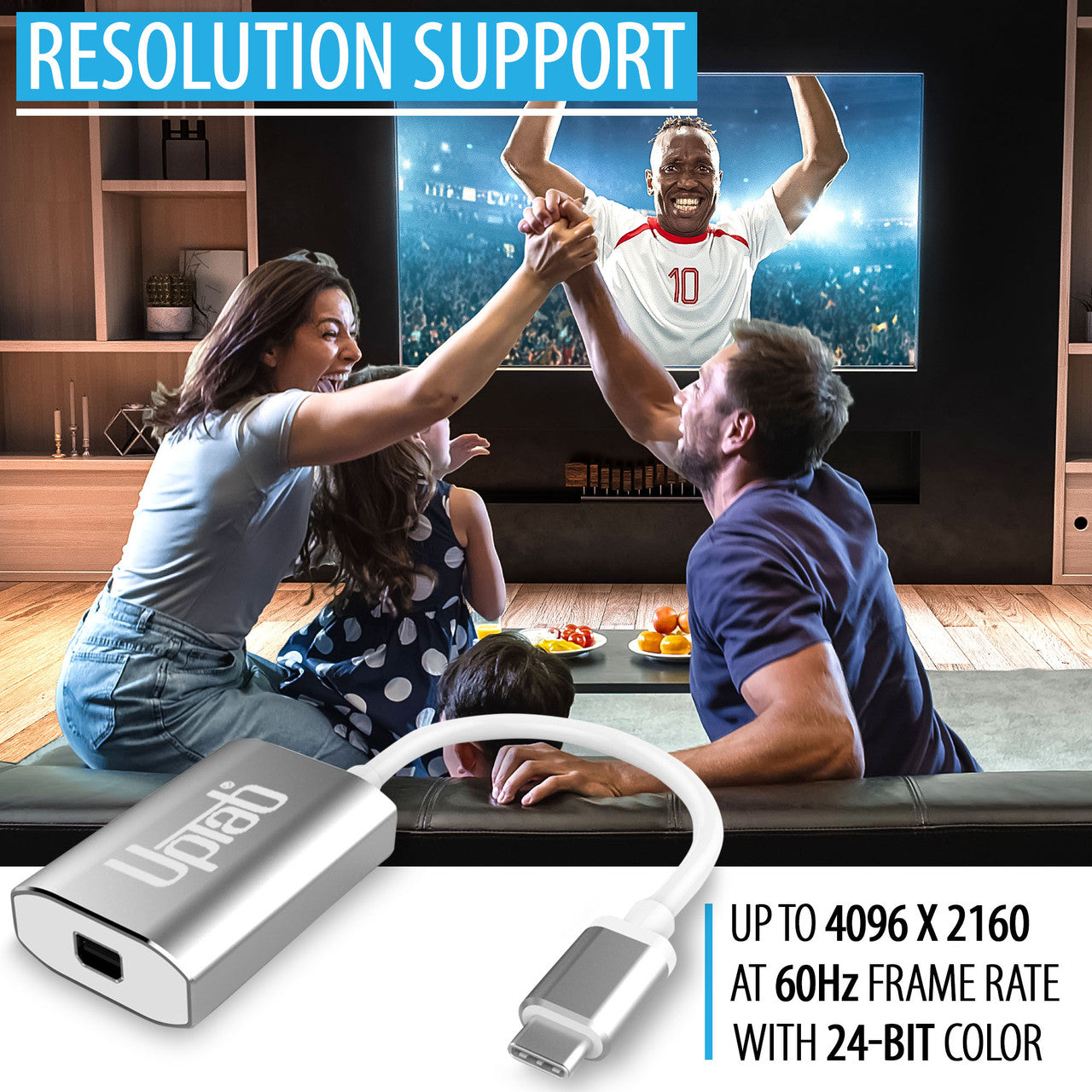
A differenza degli adattatori generici, l'ingegneria di precisione di UPTab garantisce un funzionamento fluido Risoluzione Ultra HD 4K a 60Hz Con audio a 8 canali, latenza zero e immagini nitide. Racchiuso in un robusto guscio in alluminio per una dissipazione del calore e un'affidabilità superiori, è la soluzione ideale per collegare MacBook, iPad Pro, Chromebook o PC a monitor Mini DisplayPort di vecchia generazione, incluso il classico Apple Cinema Display.
-
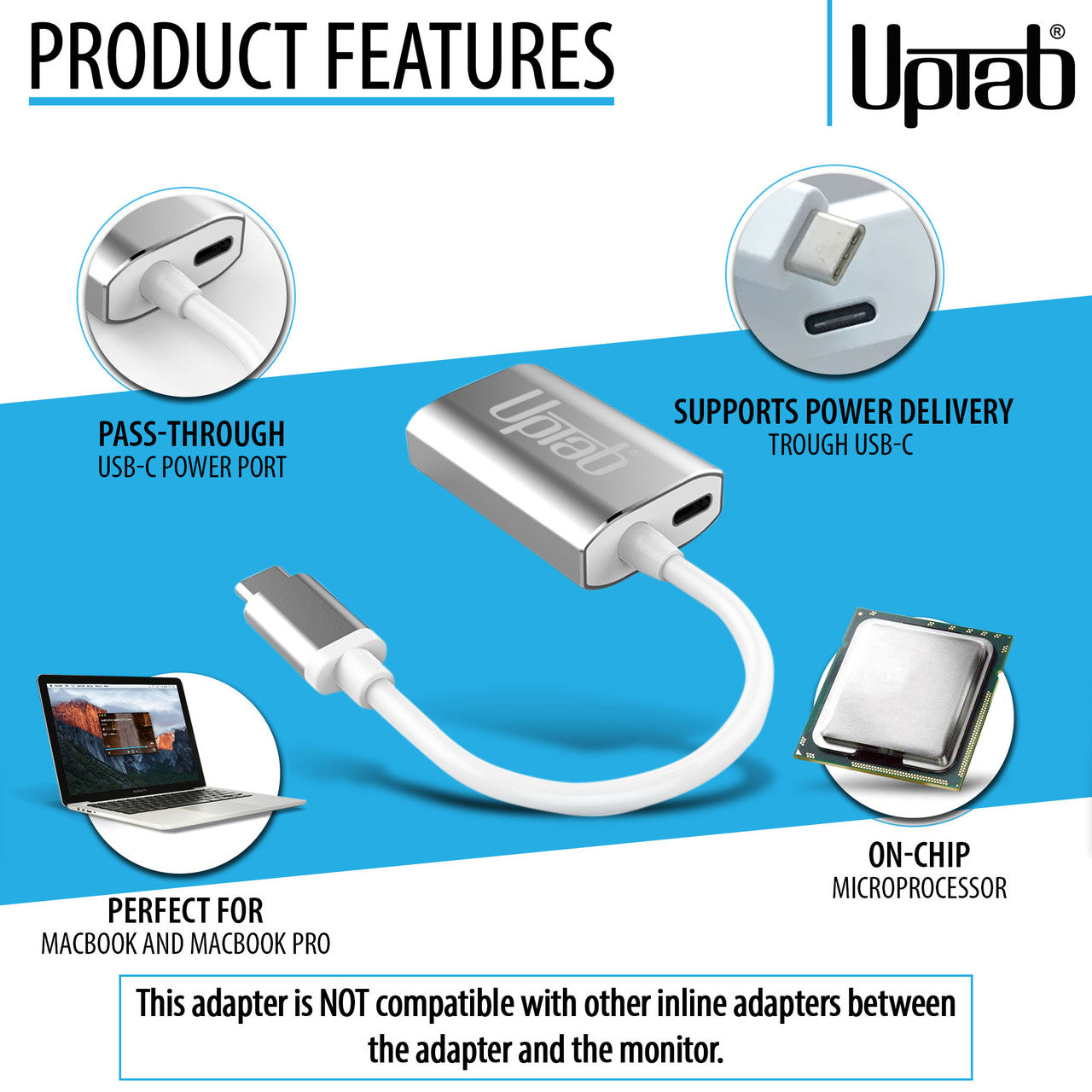
Ricarica e connetti contemporaneamente – L'esclusivo design con funzione di alimentazione pass-through USB-C consente di caricare il laptop mentre si utilizza un display Mini DisplayPort.
-
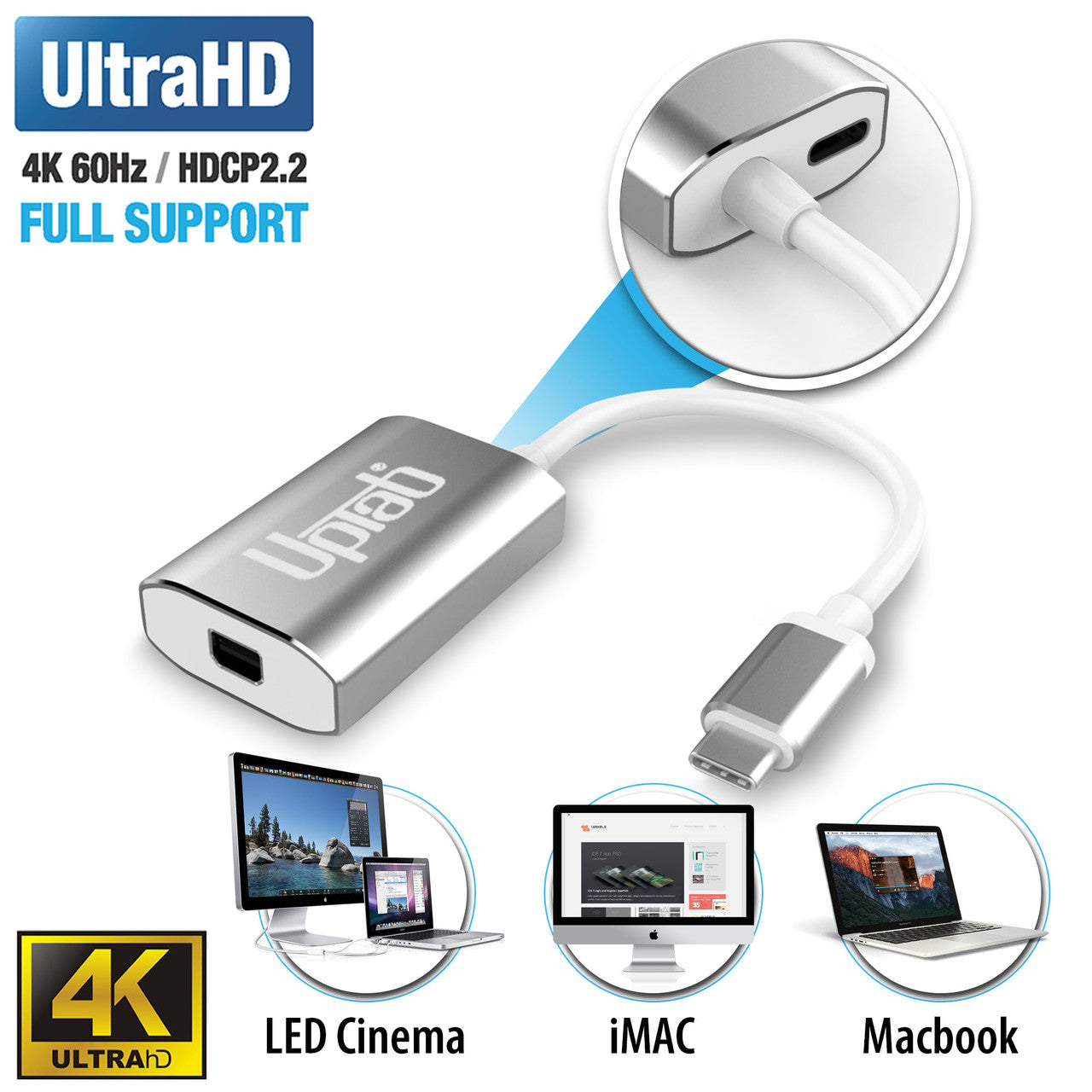
Immagini mozzafiato – Supporta Ultra HD 4K a 60Hz per una riproduzione video fluida, per il gaming e per il montaggio professionale.
-
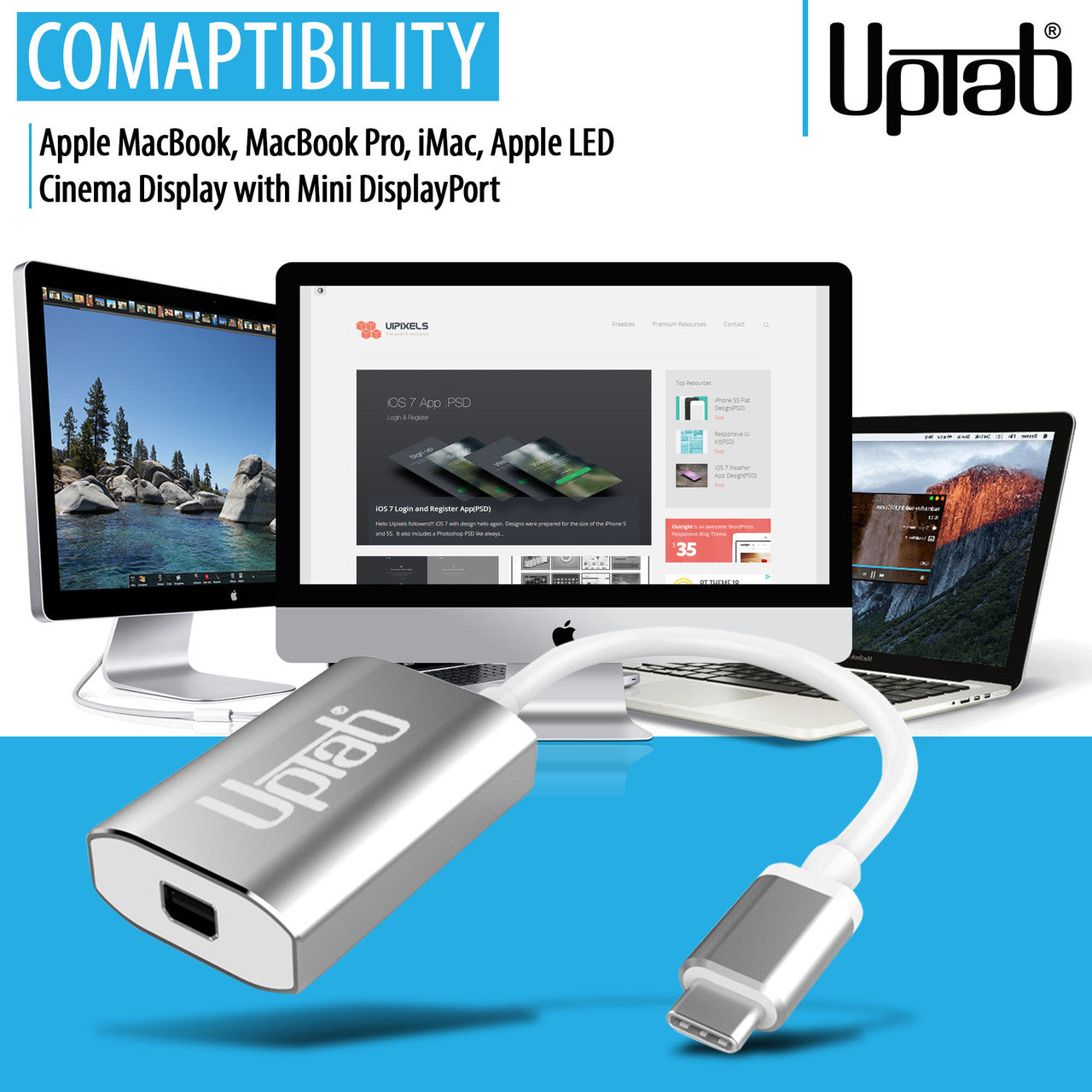
Ampia compatibilità con i dispositivi – Funziona perfettamente con Apple MacBook Pro/Air, iPad Pro, iMac, Mac Mini, Chromebook, Lenovo, HP e molti altri.
-
Ingegneria proiettata al futuro – Realizzato con conformità DP 1.4 Alt-Mode, supporto HDCP 1.4/2.2 e riduzione avanzata delle interferenze elettromagnetiche (EMI).
-
Costruzione premium – Robusto guscio in alluminio per una dissipazione del calore ottimale e un'affidabilità duratura.
-
Portatile e ideale per i viaggi – Design leggero e compatto, perfetto per professionisti e studenti sempre in movimento.
Può convertire il segnale solo da USB-C (Type-C) a Mini DisplayPort. Questo non è un adattatore bidirezionale. Questo adattatore NON è compatibile con Intel Thunderbolt 2.
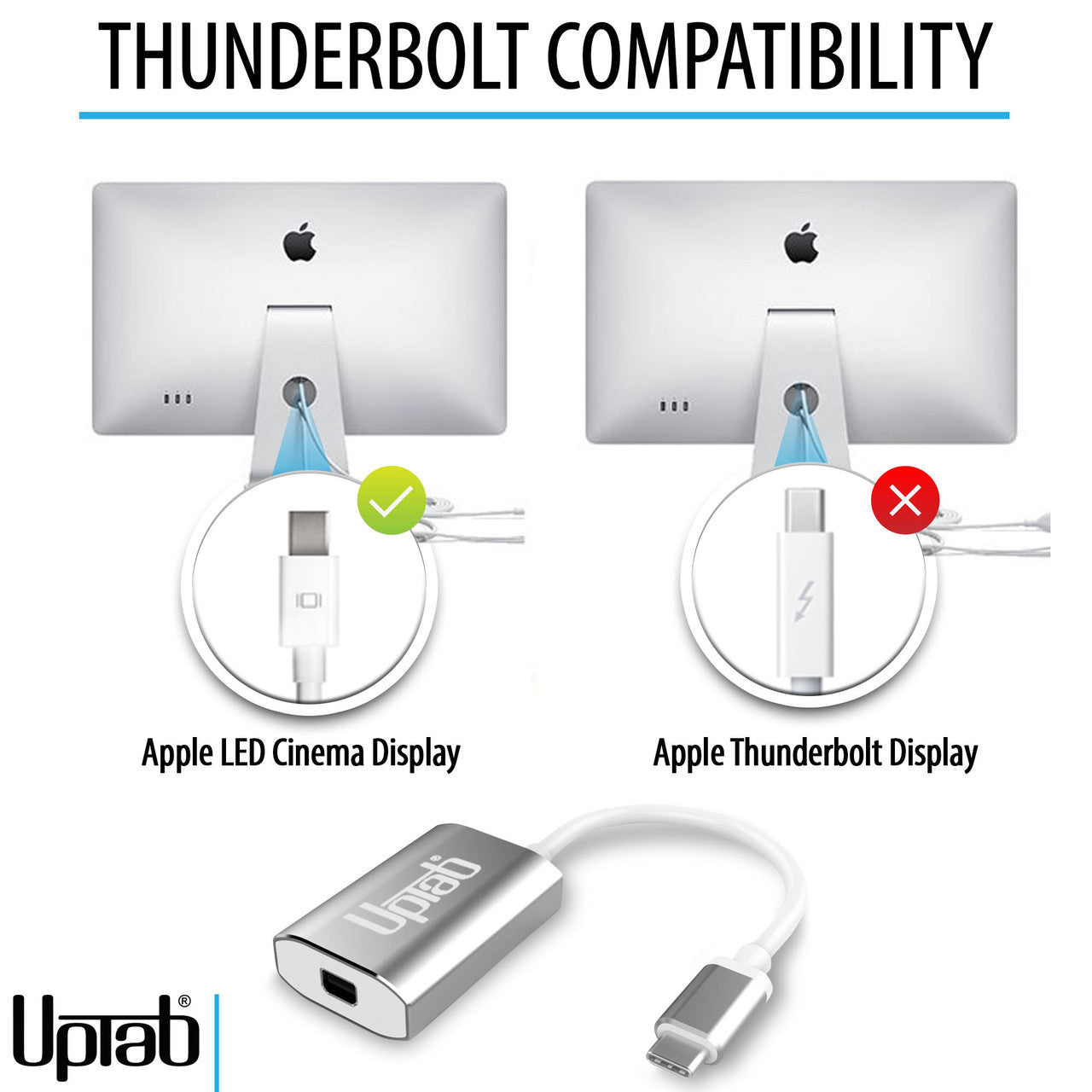
Scopri come identificare se il tuo display Apple utilizza Mini DisplayPort o Thunderbolt, quali Apple Cinema Display sono compatibili e come collegarli ai moderni laptop USB-C e Thunderbolt utilizzando Adattatore da USB-C a Mini DisplayPort di UPTab
Mette in risalto:
- Design piccolo e compatto
- Colore argento lucido
- Autoalimentato: non richiede alimentazione esterna
- Si collega a Mini DisplayPort
- Guscio in alluminio - eccellente dissipazione del calore
- Passaggio di potenza per la ricarica
- Supporta la risoluzione Ultra HD 4K a 60 Hz
- Compatibile con Apple MacBook, Google Chromebook Pixel e altro ancora
- Include microprocessore on-chip con ROM SPI interna
- Supporta i formati di protezione dei contenuti HDCP 1.4 e HDCP 2.2
- Funzione ripetitore HDCP 1.4 e HDCP 2.2 con tasti on-chip
- Supporta lo scrambling TMDS per la riduzione di EMI/RFI
- Supporta SCDC (canale dati di stato e controllo)
- Supporto audio fino a 8 canali LPCM
Dispositivi compatibili:
- Apple MacBook Pro M1 e successivi, incluso il nuovo 14/16" M4 Pro e M4 Massimo
- Apple MacBook Air M3 e successivi
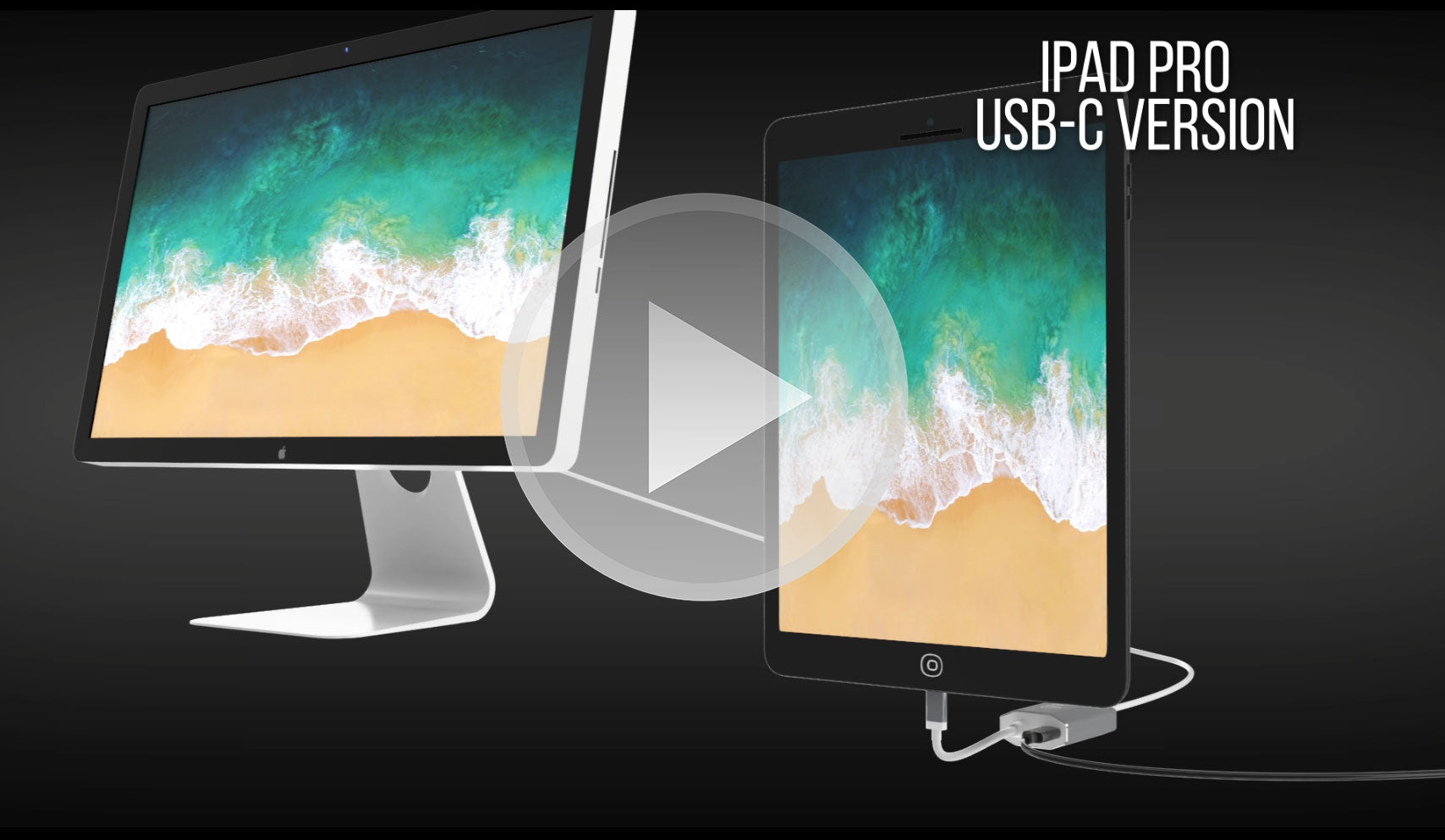
- Apple iPad Pro con USB-C e versioni successive
- Apple iMac 2017 e successivi
- Apple Mac Mini M1 e successivi
- Apple Mac Pro 2019 e successivi
- Smartphone e tablet Android con USB-C
- GooglePixel
- Google Chromebook con USB-C
- Laptop Lenovo con USB-C
- Laptop HP con USB-C
- Qualsiasi computer con Thunderbolt 3 e USB 4.0
Smartphone e tablet che supportano l'uscita video: Elenco completo
Se hai domande, puoi sempre contattarci. Ti risponderemo il prima possibile, entro 24 ore nei giorni feriali.
-
Informazioni sulla spedizione
Elaboriamo e spediamo la maggior parte degli ordini in giornata. I tempi di consegna variano in base al metodo di spedizione selezionato al momento dell'acquisto. Assicurati che l'indirizzo di spedizione sia corretto per evitare ritardi.
-
Servizio Clienti
Il nostro team è qui per aiutarti! Per domande o assistenza, contattaci via email o tramite il nostro modulo di contatto. Ti risponderemo il prima possibile.
-
FAQ
Quando verrà spedito il mio ordine?
La maggior parte degli ordini viene elaborata e spedita il giorno stesso. I tempi di consegna dipendono dall'opzione di spedizione selezionata al momento del pagamento.
Qual è la vostra politica sui resi?
Gli articoli possono essere restituiti entro 30 giorni nella confezione originale, con tutti gli accessori inclusi. -
Contattaci
Hai domande o hai bisogno di aiuto? Siamo qui per te.
Servizio clienti disponibile dal lunedì al venerdì, dalle 9:00 alle 17:00 (EST)
E-mail: cs@uptab.com
Telefono: 1 (877) 333-1505
Oppure usa il nostro modulo di contatto—risponderemo tempestivamente.
Domande frequenti
Domande frequenti – Adattatore da USB-C a Mini DisplayPort
Ho collegato l'adattatore ma sul mio monitor non vedo alcuna immagine.
- Ci sono diversi motivi per cui il video non viene visualizzato
- Il tuo monitor è la versione Thunderbolt dell'Apple Cinema Display. Puoi verificarlo trovando la piccola icona sul cavo bianco proveniente dal monitor. Se mostra un piccolo Thunderbolt, il nostro adattatore non funzionerà; se mostra un piccolo quadrato con due linee ai lati, il nostro adattatore funzionerà correttamente perché il tuo monitor è la versione Mini DisplayPort dell'Apple Cinema Display.
Assicurati che il tuo Apple Monitor sia collegato all'alimentazione e funzionante.
Perché non riesco a controllare la luminosità, l'audio e la fotocamera iSight sul mio Apple Cinema Display?
- Per poter controllare la luminosità, l'audio e la fotocamera iSight, devi collegare il cavo USB-A dal tuo Apple Cinema Display al tuo laptop.
Utilizzando l'adattatore UPTab, ottengo solo 4K a 30 Hz. Come posso ottenere 4K a 60 Hz?
- Esistono diversi motivi per cui un display 4K potrebbe essere limitato a 4K a 30 Hz utilizzando il nostro adattatore. Consigliamo innanzitutto di verificare:
- La porta di uscita USB C deve supportare la compatibilità con DP1.4 ALT per ottenere 4K a 60 Hz o DP1.2 per 4K a 30 Hz.
- Specifiche di sistema per garantire che il processore grafico interno possa supportare 4K a 60 Hz e che la porta di uscita sul sistema/GPU possa supportare 4K a 60 Hz.
Questo adattatore è compatibile con MacBook Pro, MacBook Air, iPad Pro e altri dispositivi USB-C?
Sì, funziona con Dispositivi USB-C e Thunderbolt 3/4 come MacBook Pro, MacBook Air, iPad Pro, Mac Mini, iMac e molti laptop Windows che supportano l'uscita video tramite USB-C.
Devo installare driver o software affinché questo adattatore funzioni?
Non sono richiesti driver. Questo adattatore è plug-and-play, quindi una volta connesso, il display dovrebbe essere riconosciuto automaticamente.
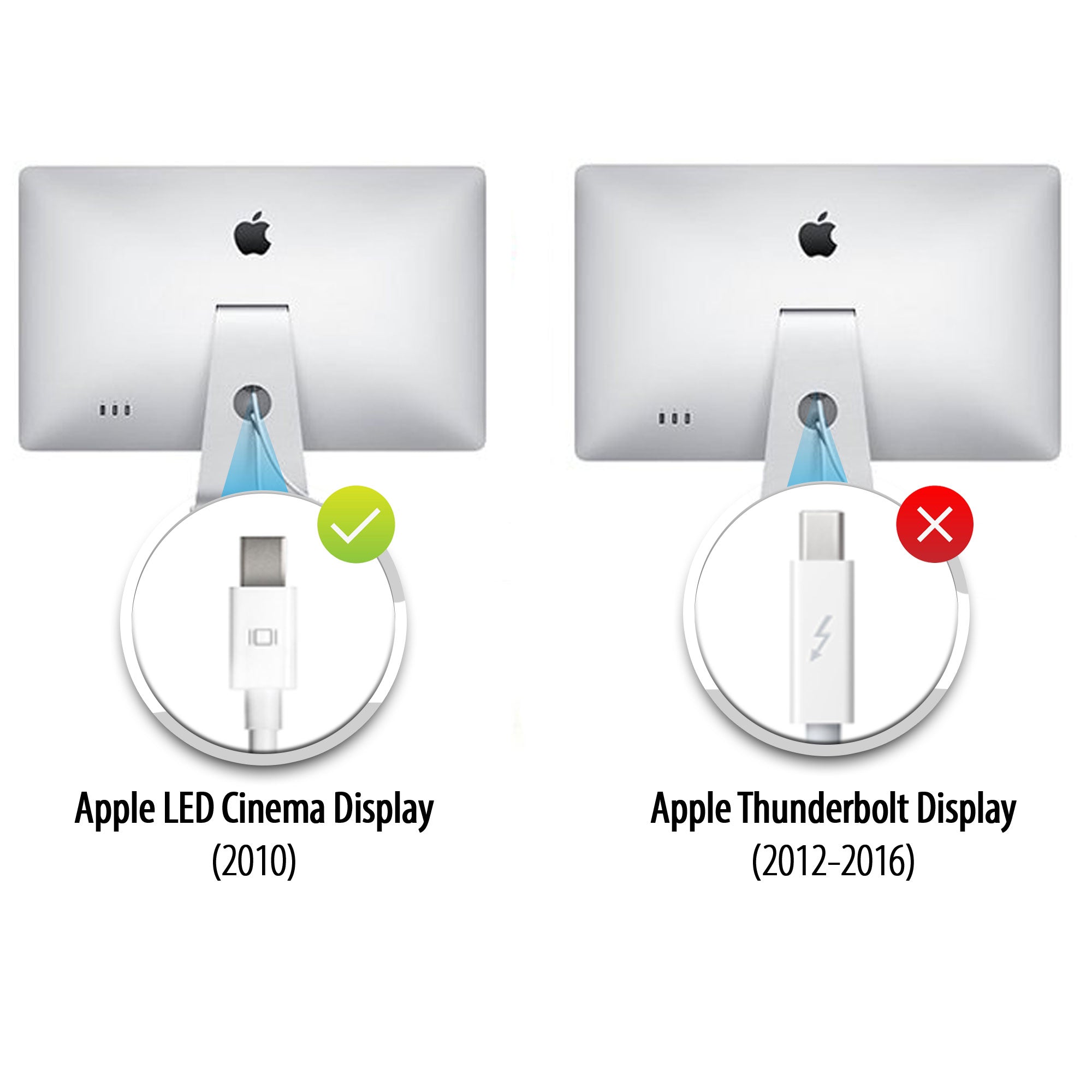
Spettacoli cinematografici
Apple ha realizzato due Cinema Display dall'aspetto molto simile, ma è possibile distinguerli dal logo del connettore sul cavo bianco:
- Display Apple Thunderbolt Cinema – Il connettore mostra un simbolo del fulmine (⚡).
- Display LED Cinema Apple (Mini DisplayPort) – Il connettore mostra il Logo Mini DisplayPort (un quadrato con due linee verticali su ciascun lato).
Il modo più semplice per distinguere i due modelli è controllare questo piccolo logo sul cavo.
Doesn’t work

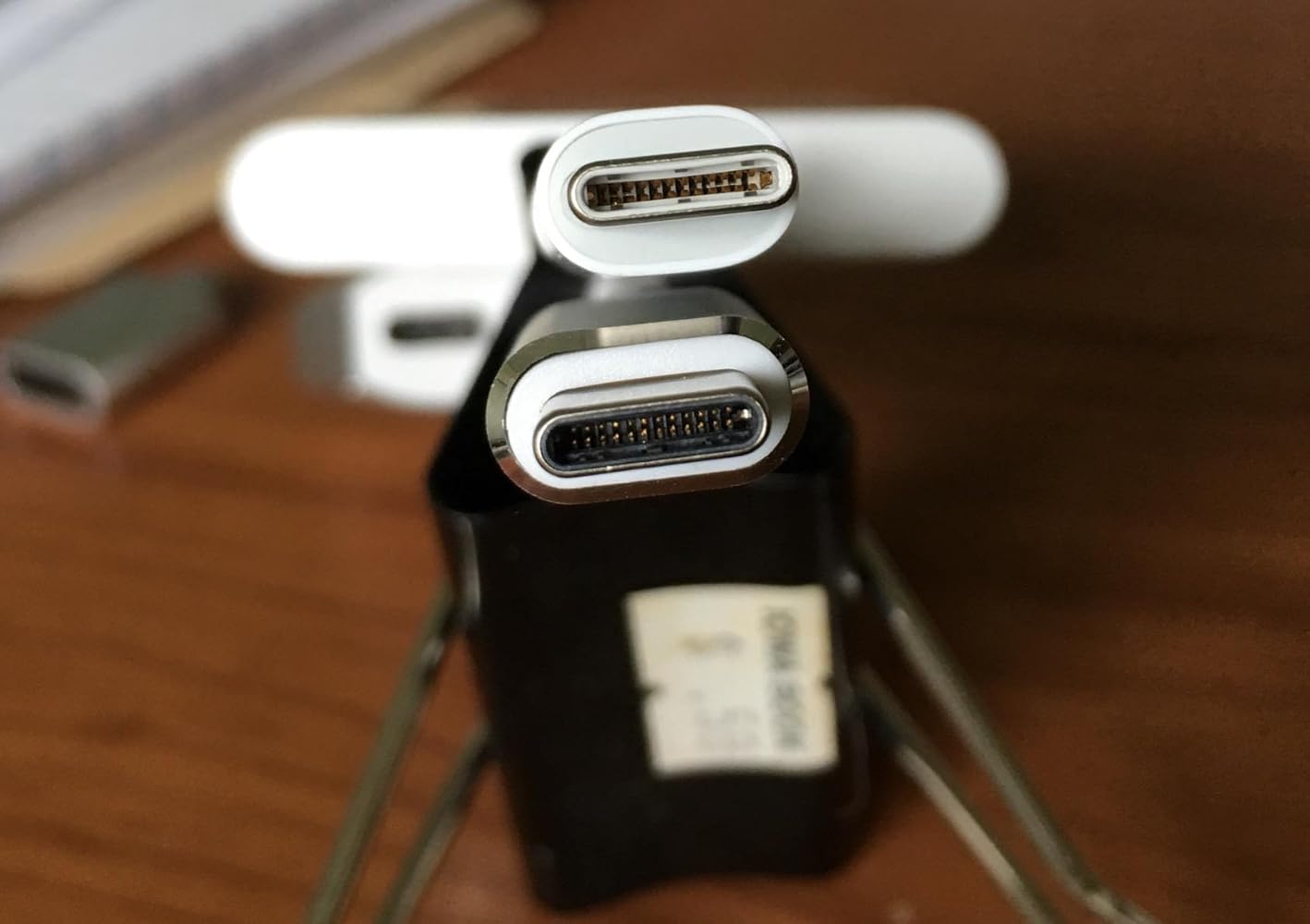
The adapter is larger than the other usb-c adapter from Apple, see the above picture,the upper one is from Apple. What a joke! Can not get a decent quality adapter! One usb-c port of my mcbook pro was ruined due to this. Do not buy.
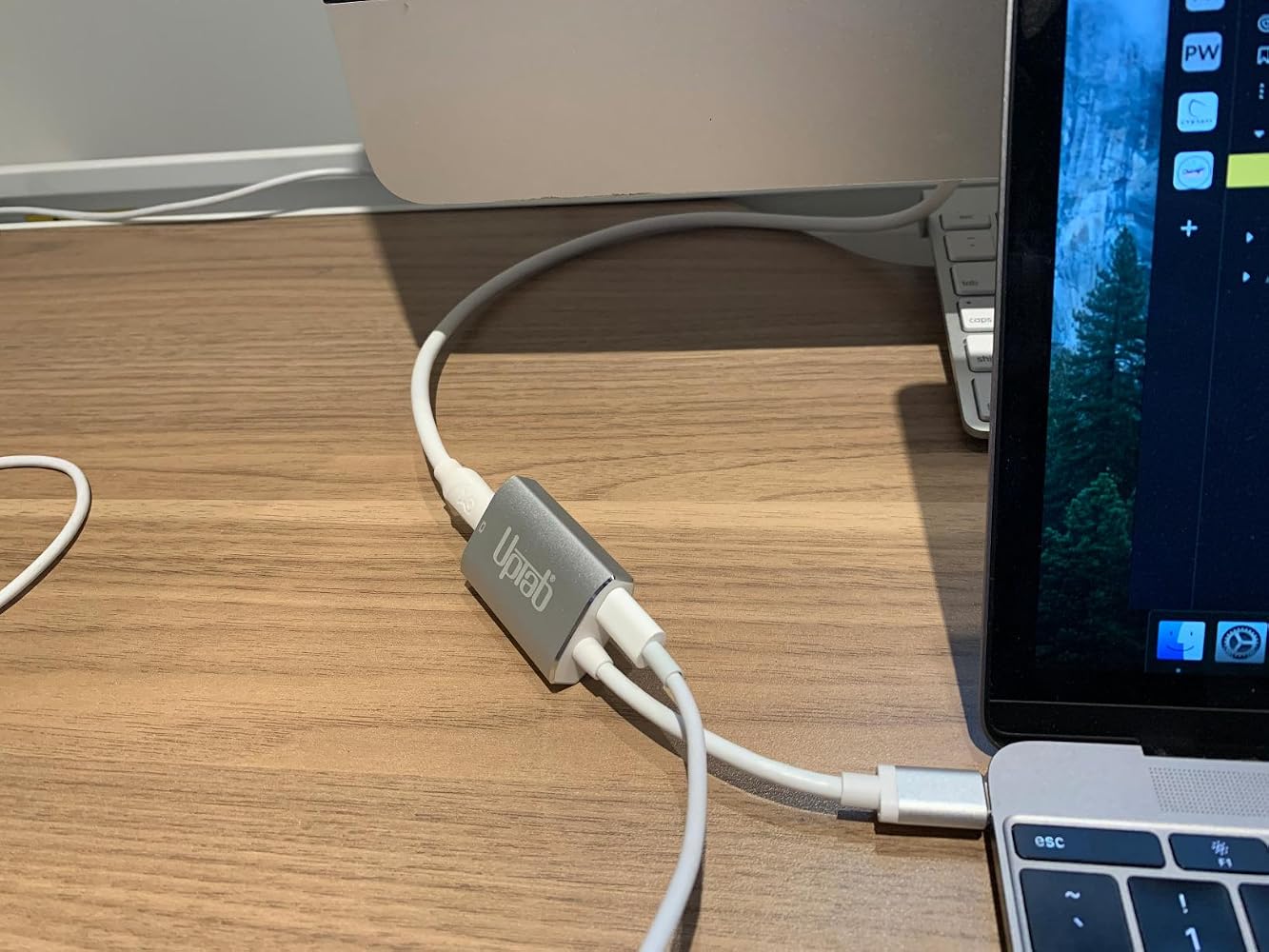
If you are using this adapter out a Mac Mini to your old Apple Cinema Display (mine is from 2010)….I’ll save you some frustration… Internet searching… and UpTab help email when this gizmo DOESN’T WORK. The UpTab adapter is NOT an all-in-one adapter. It ONLY transfers IMAGE out your Mac Mini M2 to your Cinema Display: NOT AUDIO…. Or at least not enough to really hear. You will need to ALSO plug in the USB connector from your Cinema Display INTO the Mac Mini USB port as pictured in these photos. THEN…. you will have full audio Mac Mini to Cinema Display. I did not realize that this UpTab adapter was just basically a video only adapter when it comes to my Apple Cinema Display. Once I found this out, everything worked perfectly.


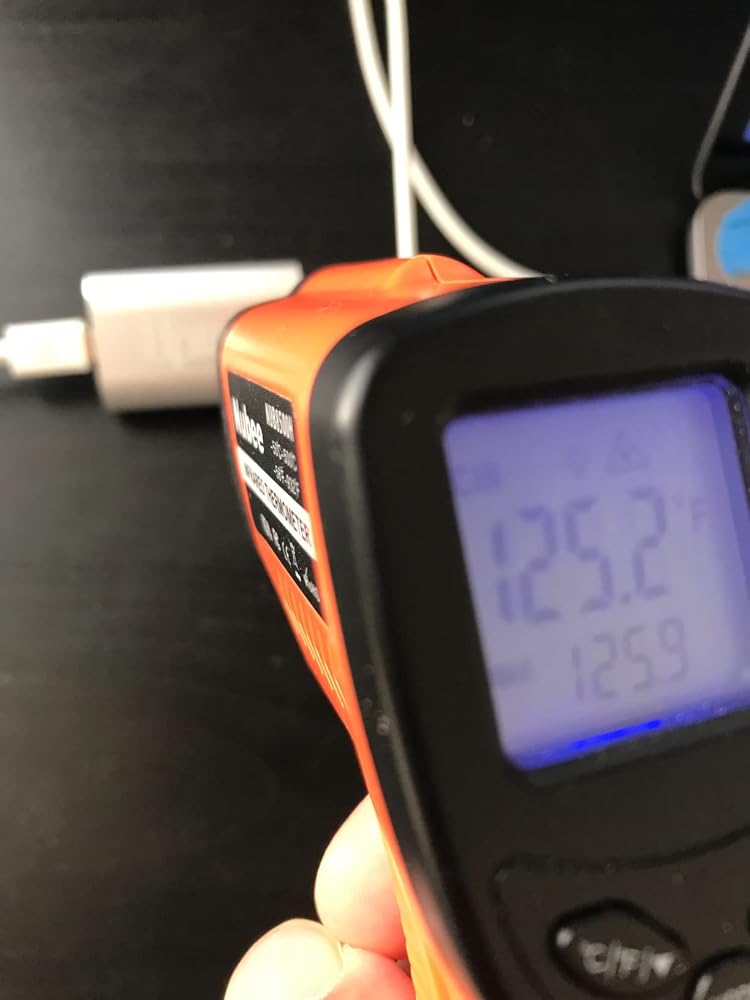
It's super hot on the adaptor's surface (125 'F). Perhaps add a fan or peltier to cool down the heat.

Help! There is not an option to adjust the brightness on my cinema display in the system preferences menu.

Works perfect with M1 Max 16" to Apple LED Cinema Displays with Mini Display PortI'm running two of them via the left two Thunderbolt/usb-c ports and there are no visible issues with the LED Cinema Displays. There is no brightness control that I can find though.


Got this to connect my 2016 Macbook 12" retina to a 2009 27" iMac as a secondary display, in TDM (target display mode.) Pugged it up with a mini displayport cable, pressed command + F2, and voila. I gained basically 4x more screen real estate. As young people say, it's amaze balls. 5/7 would buy again.
My MacBook Pro gave up the ghost and I had an old Apple Cinema Display in store ..... so I took the decision to get a new MacMini and see if it would all come togetherI had read many reviews of adaptors that “might or might not” connect the two .... and an article that highly recommended this particular connector although it cost a small amount moreI am very pleased that I did .... it has worked without a hitch ... and was well worth the extra trouble of getting it in from the US when I live in the UK
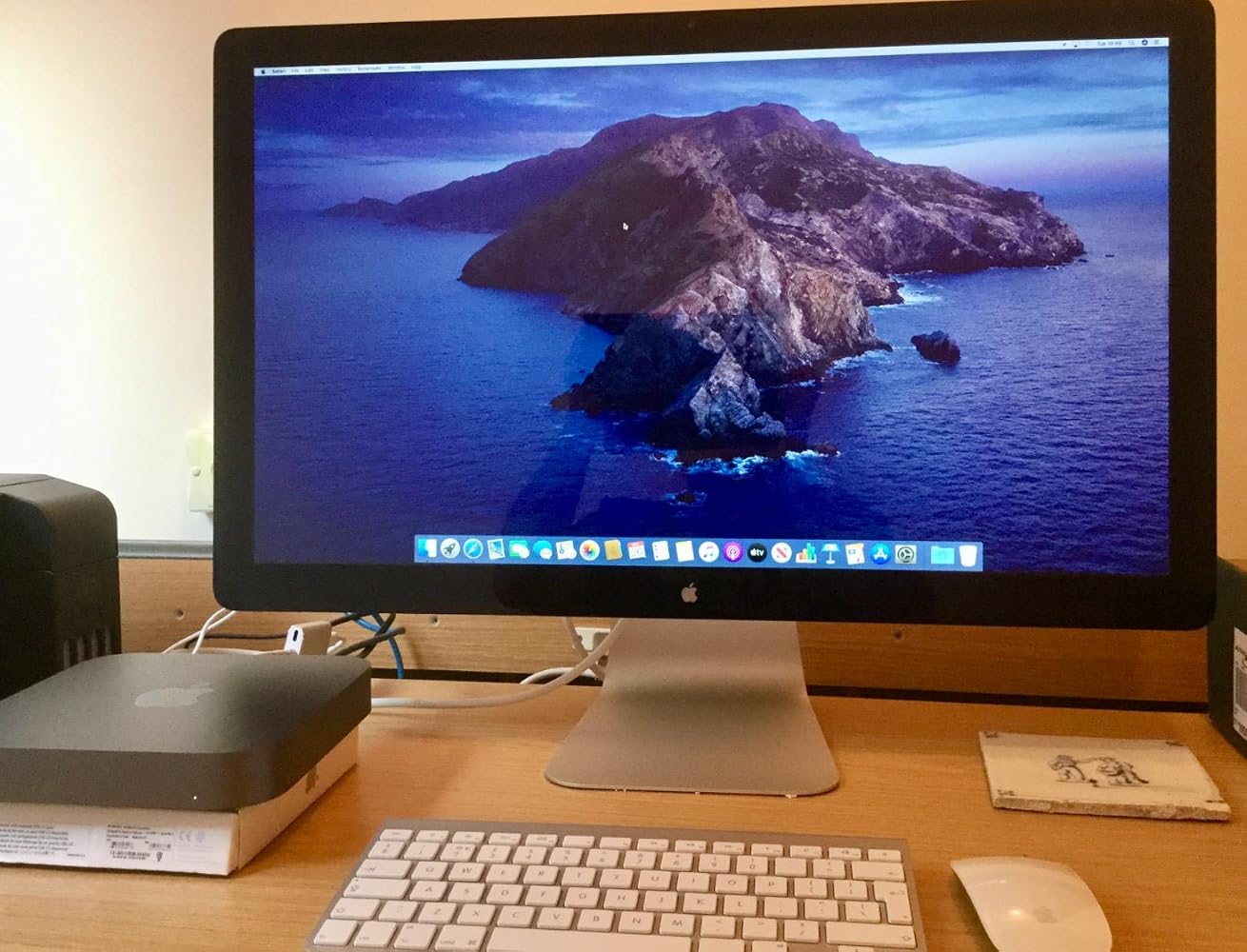
Used this to connect my 2010 Apple Cinema Display to my MacBook Pro 2017. It works and shows great. You have to keep your MacBook power cord plugged in and you will need a USB Adapter to get sound from the Cinema Display. I can now use my Cinema Display as a large monitor, or 2 separate screens. Note, this is not for the 27” thunderbolt displays. That specific model requires a Thunderbolt adapter (with the lightning symbol on it). This product= Perfect fit, and fast shipping.
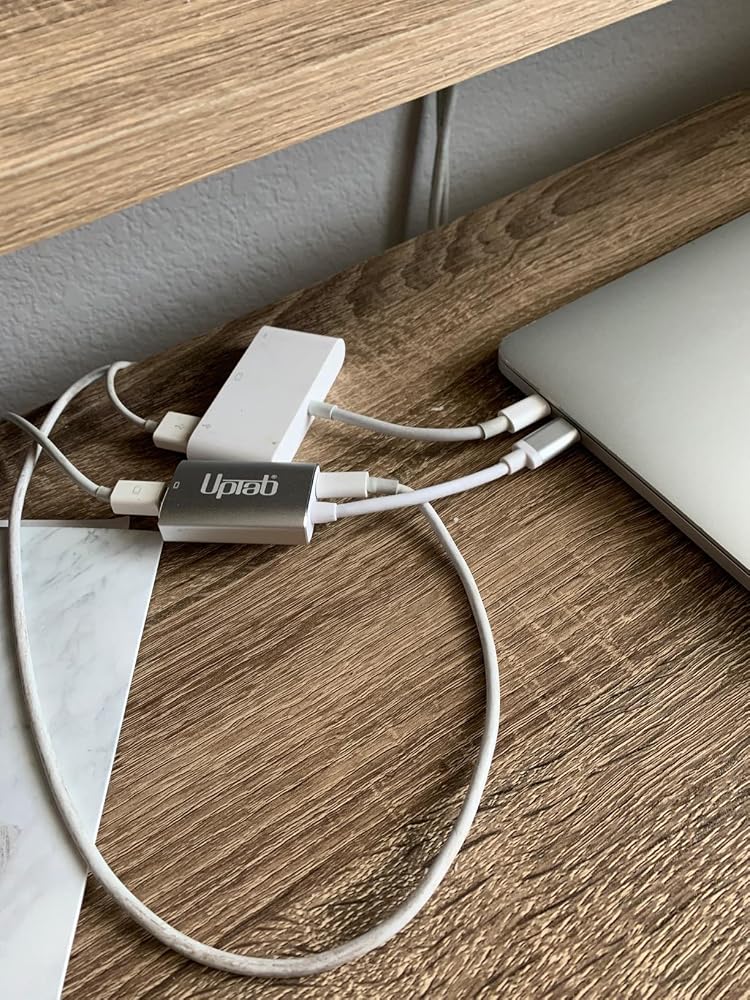
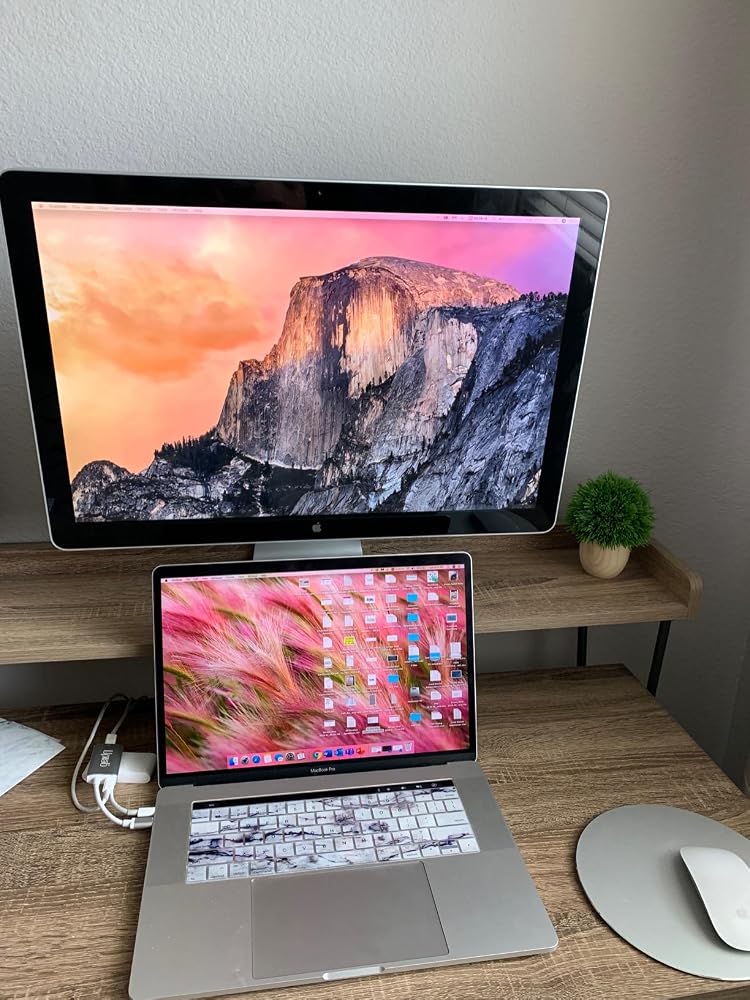
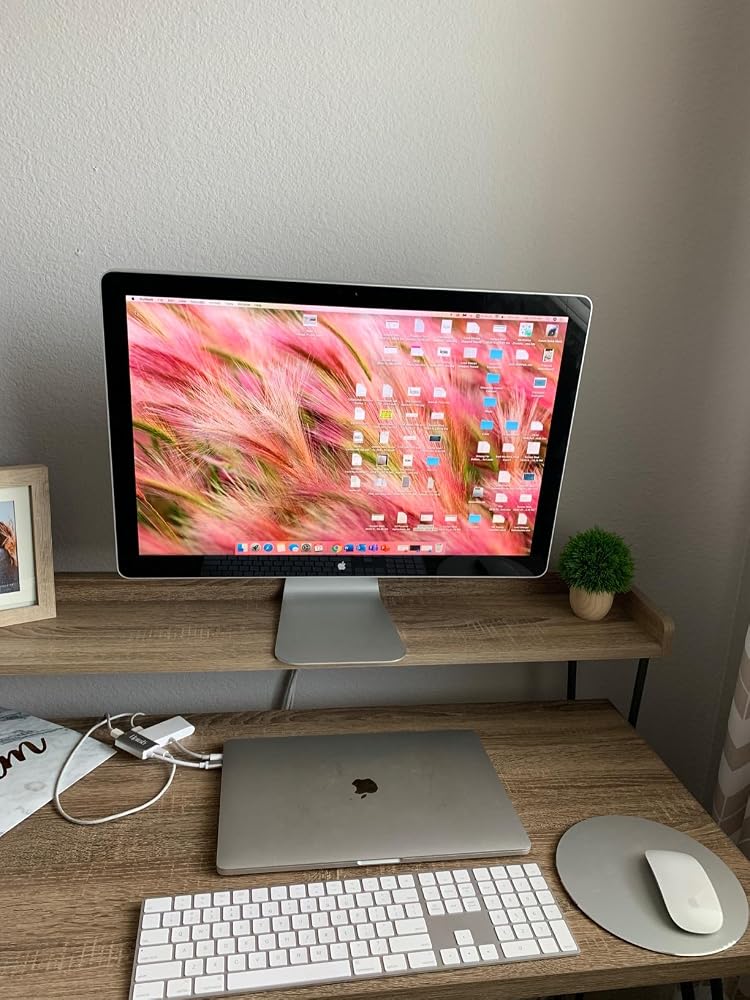
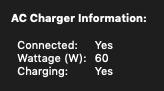
Minus 1 star for not listing the pass-through power wattage rating in the product specs/description.That said, 60 watts is charging my 2019 Macbook pro (which uses an 87W charger) when not under heavy strain. However, I'm fearful this lower wattage could be detrimental to the battery's overall lifespan.
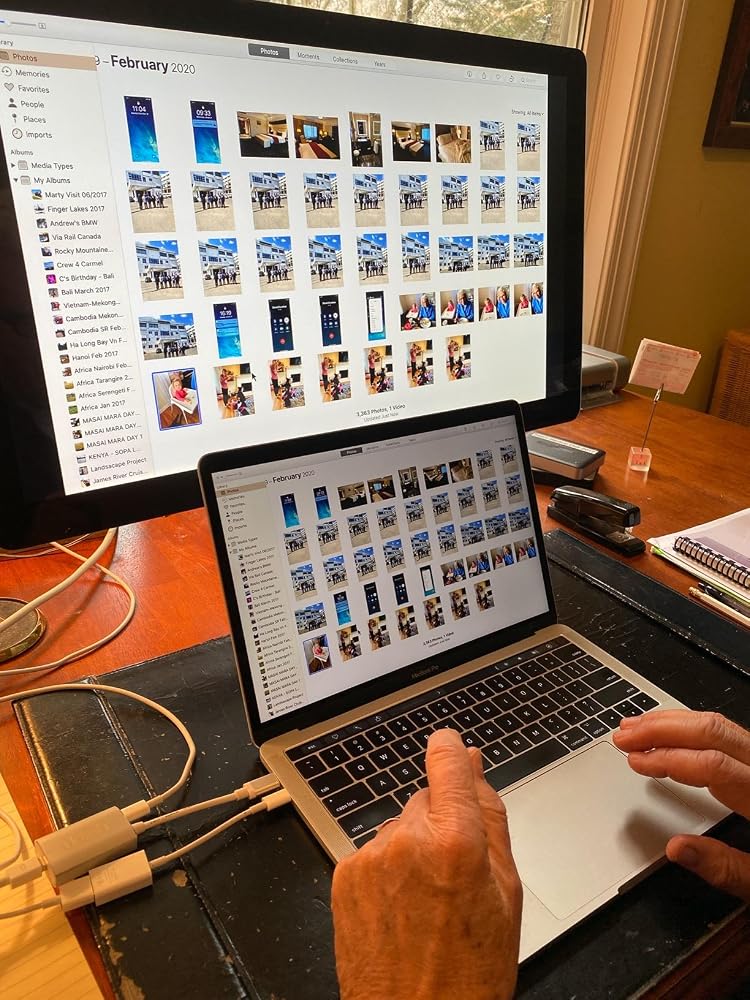
I am thrilled with this device! I thought our Apple LED Cinema Display was going to be unusable with a new MacBook with USB-C ports. We plugged the Cinema Display into the UPTab device, along with the USB-C power cord. Then, we used an Apple dongle to connect the USB cord from the Cinema Display to a USB-C port on the MacBook. Amazing! The laptop is charging. The screen works. All 3 USB ports on the back of the display work! Now, we just need to power up the keyboard and mouse and close the laptop! Thank you UPTab!!! I'll be ordering one more since we have another LED Cinema Display for a second laptop.
Very smooth experience from browsing and find product to finally getting the product shipment.
it was exactly what i needed :)
Great product! Good delivery.
It worked to run my old Apple Cine display from Macbook Air M3.
Funktioniert mit einem iMac 18,1 und einem Cinemadisplay perfekt
Very nice USB-C to Mini DisplayPort Adapter. It allowed me to use my Apple Cinema Display with my M1 Macbook Air. And with the addition of a power port I can charge my laptop at the same time without losing another port on the laptop.
It extended the usefulness of my Cinema Display
Seems to work perfectly to connect my old 30 in 2006 Apple Cinema Display via a mini display adapter to a USB-C port in my new Mac Mini. So happy to keep it going!
plug and play, allowed me to use apple 30" cinema display monitors with Apple studio
Works perfect
I bought this hoping it would let my co-worker use his old school headphones with audio jack on his new MacBook Pro with touchbar. Didn't work despite the ports being correct. Disappointed because trying to solve this has been quite a struggle.
Absolute garbage. Doesn’t work with my MacBook Pro. Doesn’t work with my 2018 iPad Pro. Total. Waste. Of. Money.Would return if I could but I ordered it months ago and only discovered it’s uselessness today.
Compré este adaptador para poder conectar mi mac book pro con la pantalla Cinema Display de Apple, sin embargo no fue posible
It did not work on a new MacBook Pro in driving an older Apple Cinema Display, and was returned.
Bought this to connect a MacBook Pro (15-Inch, 2017) to a Dell U2713HM monitor. The connection is very sensitive and unreliable. For example, I have to position the dongle in such a way to avoid a blank monitor.
I had basically the same experience as with a similar adaptor I bought, and I left a thorough review here that also applies to this adaptor (minus the updates as I haven't returned this one yet): https://www.amazon.com/gp/customer-reviews/R1SBG8XB5E0BYH/ref=cm_cr_arp_d_rvw_ttl?ie=UTF8&ASIN=B01N2ORP84
Spedizione gratuita oltre $50
Spedizione in giornata per la maggior parte degli ordini